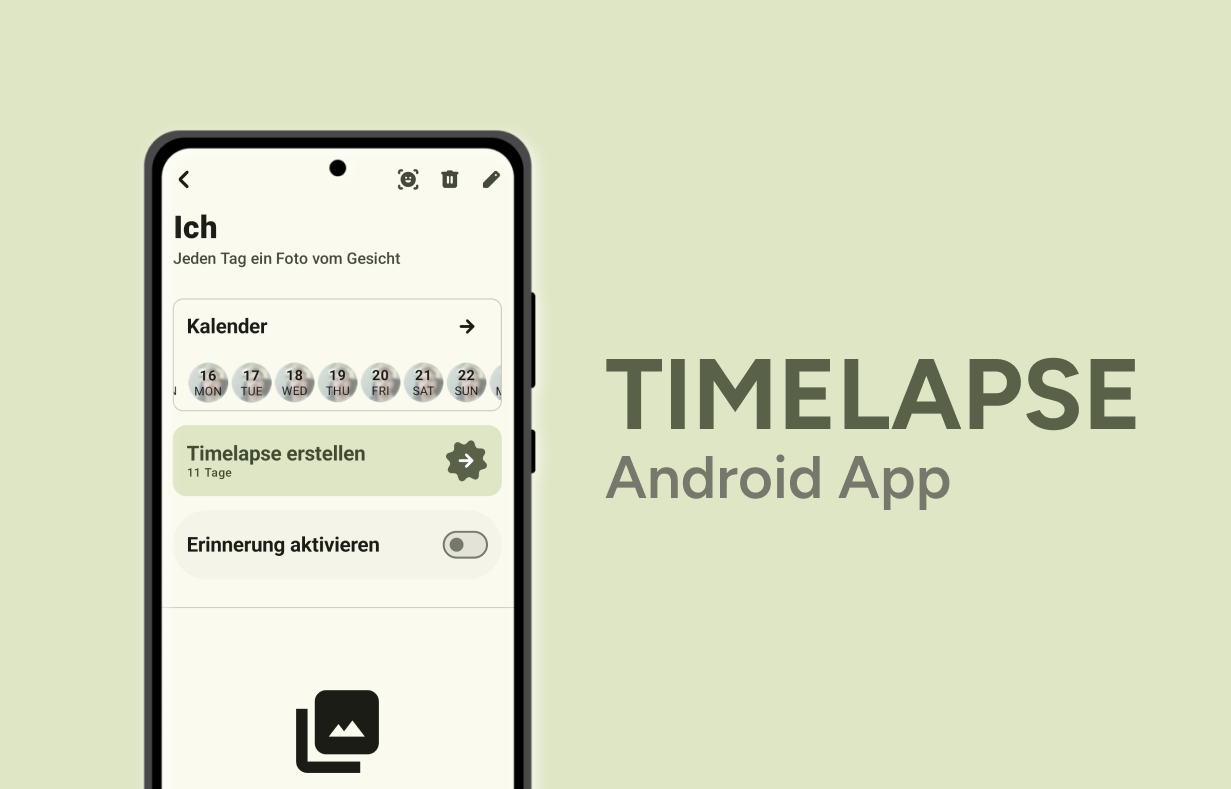
For my semester project in the 3rd semester of the Master Class Mobile, I built Timelapse, a native Android app that turns many individual snapshots into a visual timeline. The result is a video that shows long-term change. It works for beard growth, fitness progress or a growing houseplant. The goal was an MVP you can use every day, covering the whole flow from creating a project to sharing the finished video.
What the app does
Timelapse works like a visual diary. You create projects (e.g. “Daily Selfie” or “Houseplant”) and the app reminds you to take a new photo. Every picture is stored in order with its date and optional notes. With one tap, Timelapse turns the collection into a timelapse video.
- Project organization: multiple timelapse projects running in parallel, each with its own settings
- Visual timeline: a combined week and list view shows which days are covered and where gaps remain
- Reminders: configurable notifications that make the daily photo a habit
- Favorites & notes: highlight milestones and add short comments to individual days
- Automatic video montage: handles orientation, date overlays, watermarks and comments, with options for quality and text style
Tech stack
- Jetpack Compose + Material 3 for every screen, with one central
TimelapseTheme - Material 3 Expressive & Material You: you pick a seed color with a built-in color picker, and a full dynamic color scheme is generated from it
- Custom media pipeline: EXIF-based rotation, a canvas that composes frames and text, and a muxer that writes an MP4, with progress reported to the UI through Kotlin Flows
Learnings
The hardest part was balancing simplicity and control: you should be able to “just” create a video, but still adjust quality, text and privacy. Getting smooth, stable videos also took a lot of fine-tuning, because small scaling or matrix errors cause visible jumps. And a single central theme object made every later decision about color, typography and component styling much easier.
Read the full post on the MFG Blog of USTP → (in German)